Vizancia connects short AI literacy lessons to practical activities. See what comes next, build a stronger prompt one choice at a time, and learn how examples and labels change a model.
Original page artwork paired with an actual Vizancia Learn screen
Connected lessonsMove through AI concepts in a visible sequence
Decisions, not guessworkSee how role, context, format, and constraints shape a prompt
Examples make it concretePractise sorting data and applying labels in Train the Robot
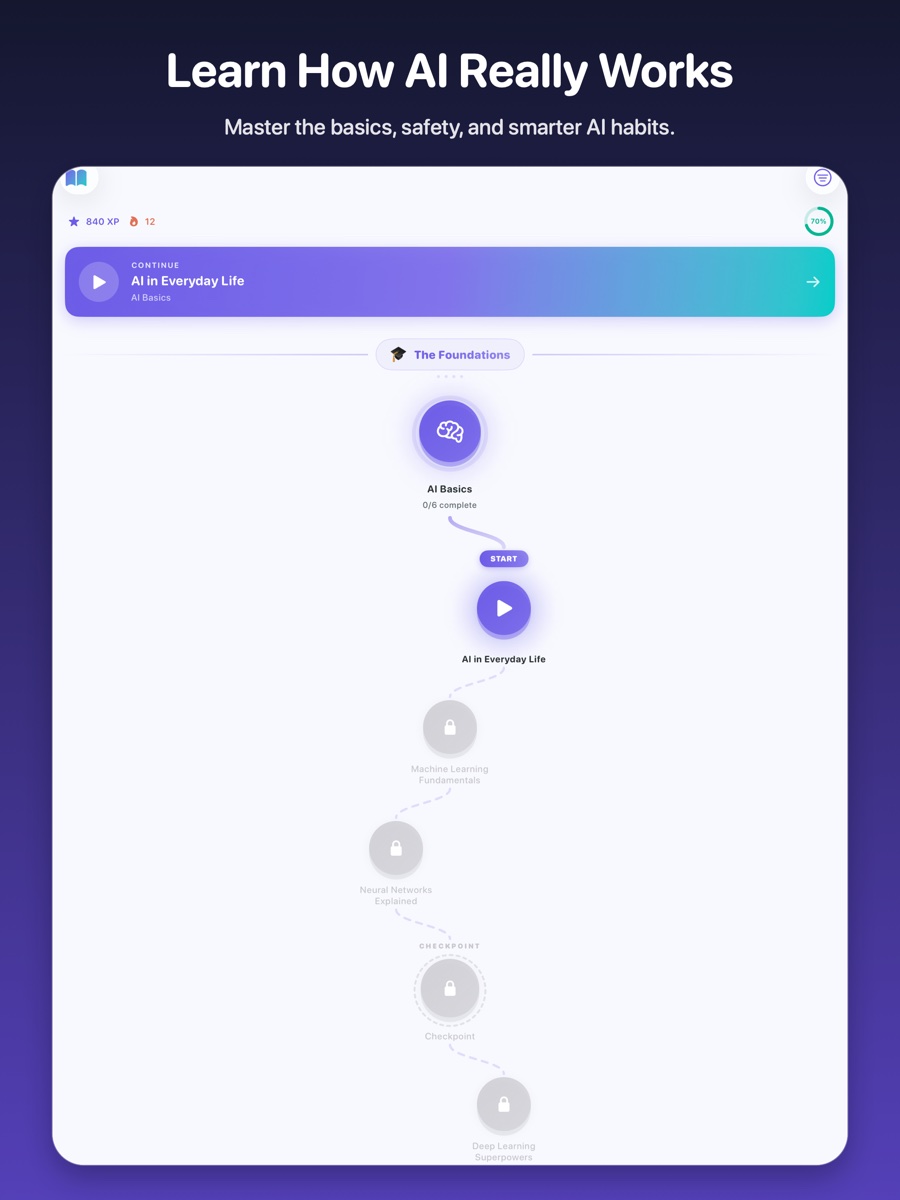
Actual Vizancia Learn path on tablet
A route you can understand
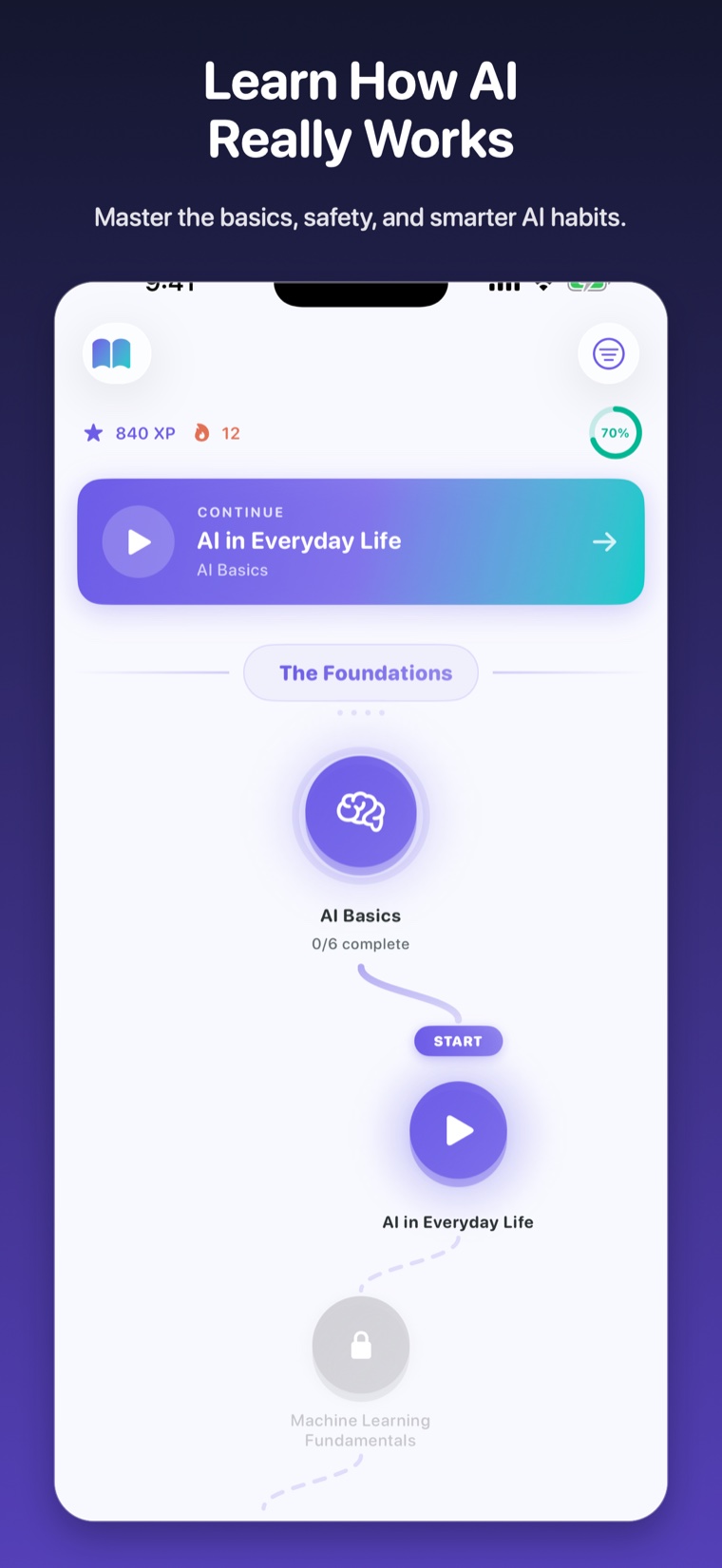
The next lesson is always in sight.
The Learn path turns a large curriculum into a sequence of approachable steps. Each node has a clear place in the journey, while the continue panel brings learners back to the right spot.
01
Start with the foundations
Build a shared vocabulary for how AI works and where its limits begin.
02
Complete focused lessons
Work through explanations and questions without losing the larger path.
03
Reach the next checkpoint
Use visible progress to understand what has been covered and what comes next.
Keep moving
A friendlier journey, with serious ideas underneath.
The characters give the page a sense of movement and encouragement while the real product screens stay at the centre of the story.
Train by doing
Turn an idea into a decision you can see.
Hands-on activities make abstract AI concepts more concrete. Learners change an input, make a choice, and see why the result changes.
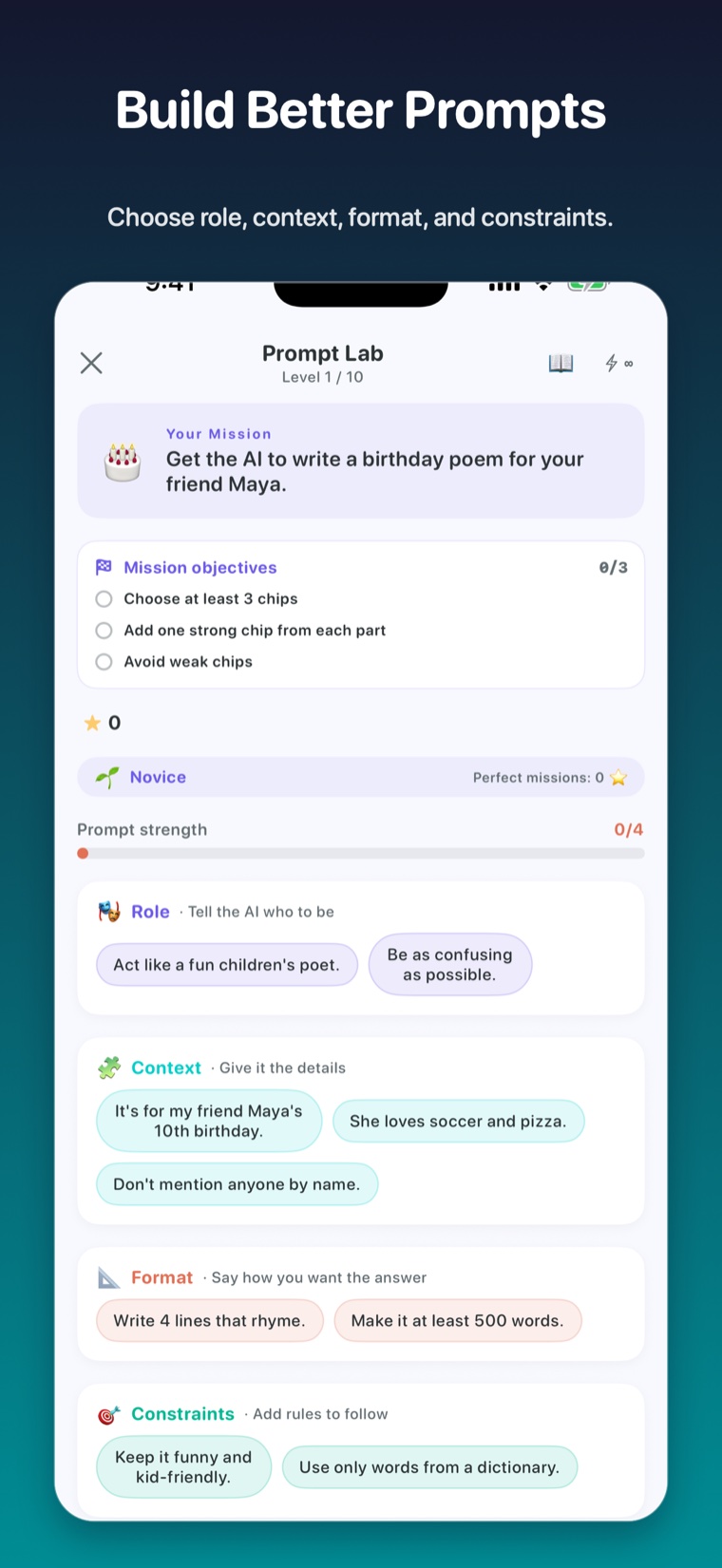
Actual Vizancia Prompt Lab screen
Prompt Lab
Build better prompts deliberately.
Choose a role, add useful context, set the format, and define constraints. Prompt quality becomes a series of understandable decisions instead of a magic phrase.
See the purpose of each prompt component.
Compare clear instructions with weak or conflicting ones.
Practise matching a prompt to the actual goal.
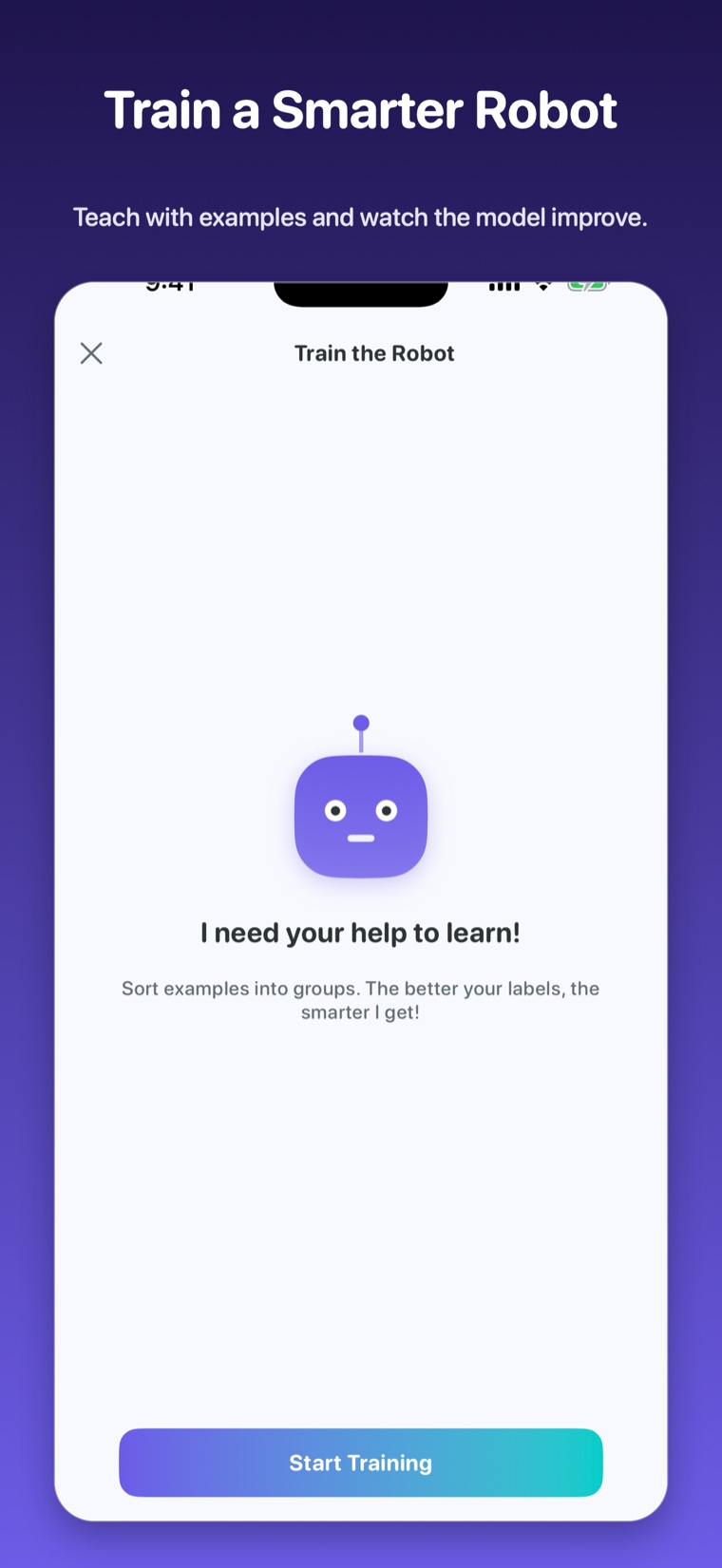
Actual Vizancia Train the Robot screen
Train the Robot
Teach with examples and labels.
Sort examples into groups and see why consistent labels matter. The activity gives learners a concrete mental model for how training data can help or confuse a system.
Look for patterns across examples.
Apply labels consistently.
Notice how unclear examples affect what a model can learn.
Ready to move from reading to doing?Start the learning path in Vizancia, then practise the ideas in the labs.